Week 2 Wednesday#
Screenshare notes#
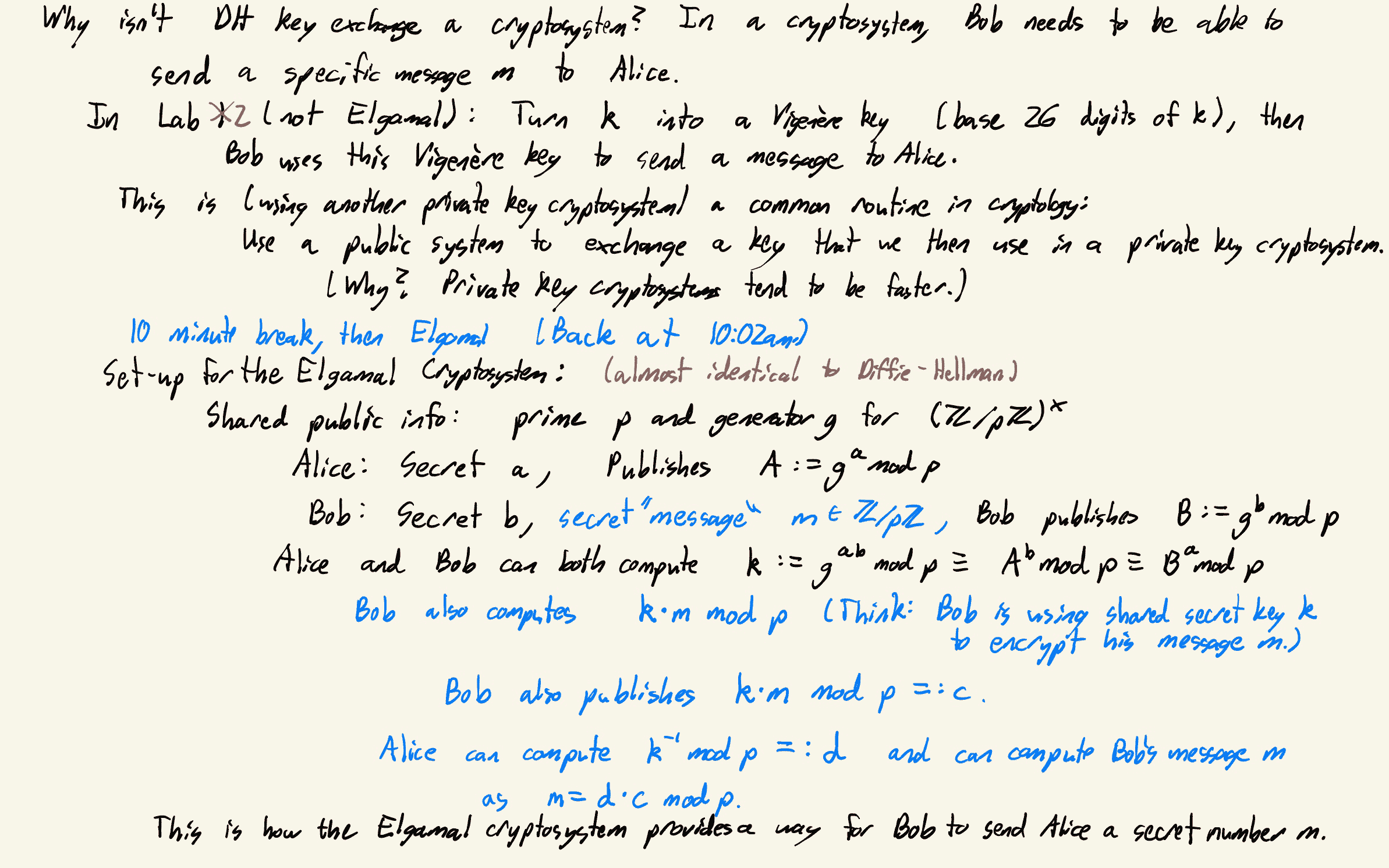
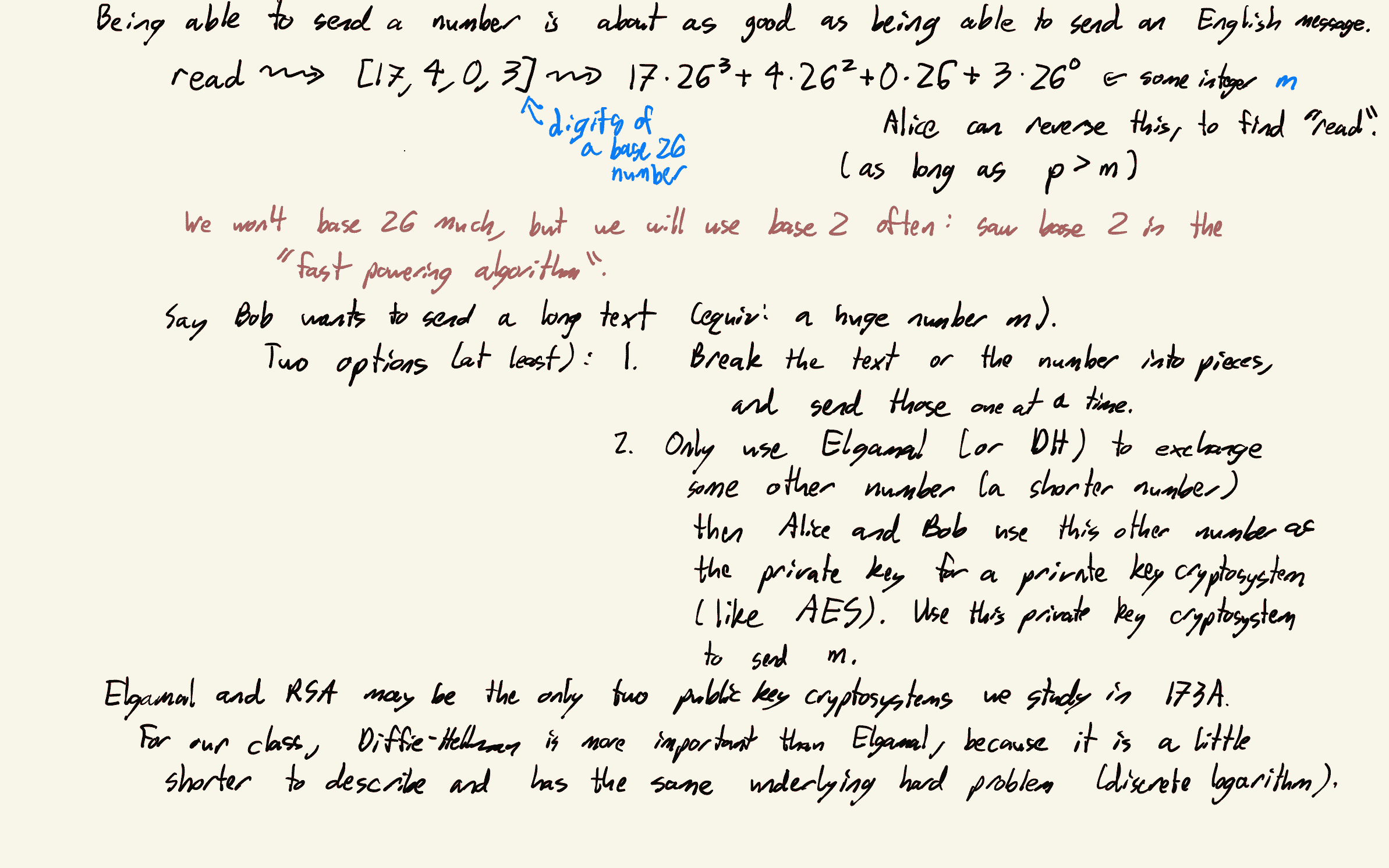
Deepnote notebook#
So far we’ve used various Python libraries:
Libraries which are pre-installed in Deepnote (like
numpy,pandas, andsympy).Custom Python libraries (that we wrote ourselves) uploaded in the Files section (like the
Lab1_Helper.pyfile).
We also need access to a third type of library:
External libraries (written and published by others) which are not pre-installed in Deepnote.
The external package we will use today (and in Lab 2) is called pycryptodome.
To install an external libary (or package) packagename, we use the command !pip install packagename. (The exclamation point ! tells Deepnote to treat this not as a Python command, but as a terminal command. I actually think it also works without the exclamation point, but with the exclamation point is the “correct” way to do this.)
2+3
5
from Crypto.Util.number import getPrime, getRandomNBitInteger
from sympy.ntheory import n_order
---------------------------------------------------------------------------
ModuleNotFoundError                       Traceback (most recent call last)
Cell In [2], line 1
----> 1 from Crypto.Util.number import getPrime, getRandomNBitInteger
      2 from sympy.ntheory import n_order

ModuleNotFoundError: No module named 'Crypto'
# don't install Crypto, I think that is out of date
!pip install pycryptodome
Collecting pycryptodome
  Downloading pycryptodome-3.18.0-cp35-abi3-manylinux_2_17_x86_64.manylinux2014_x86_64.whl (2.1 MB)
     ━━━━━━━━━━━━━━━━━━━━━━━━━━━━━━━━━━━━━━━━ 2.1/2.1 MB 83.2 MB/s eta 0:00:00
?25hInstalling collected packages: pycryptodome
Successfully installed pycryptodome-3.18.0
WARNING: You are using pip version 22.0.4; however, version 23.1.2 is available.
You should consider upgrading via the '/root/venv/bin/python -m pip install --upgrade pip' command.
from Crypto.Util.number import getPrime, getRandomNBitInteger
from sympy.ntheory import n_order
# input is number of bits
# input is number digits when written in binary
getPrime(5)
29
2**4 + 2**3 + 2**2 + 2**0
29
Digits of 29 in binary are [1,1,1,0,1]. There are 5 of them. So 29 is a 5-bit prime number.
p = getPrime(30)
p
1043283653
# Order is p-1, so 2 is a primitive root modulo 1043283653
n_order(2, p)
1043283652
g = 2
getRandomNBitInteger(27)
67489927
# public (a is displayed in the Z-KeyExchangeSpace page)
A = 285398211
# public
B = 971542416
# Computed k = pow(A, b, p)
# Keep k secret
# This is the ciphertext k*m mod p
c = 145545544
# Update: add p to m when you find m, and then search for that ISBN
My message m is an ISBN for a book. Can you find that book? Correction: It’s actually p+m that is the ISBN, not m.
 Created in Deepnote